Search

Items tagged with: WordPress


9.4.0 — Picture This


The media in this post is not displayed to visitors. To view it, please go to the original post.

Someone replies to your post from Mastodon with a photo. Until now, your blog showed the text and dropped the photo. With 9.4.0 that can change.

This release is mostly about what you and your visitors see: images in replies, quotes, and your blog profile. It also contains another round of security fixes, so please update.

Images in Replies


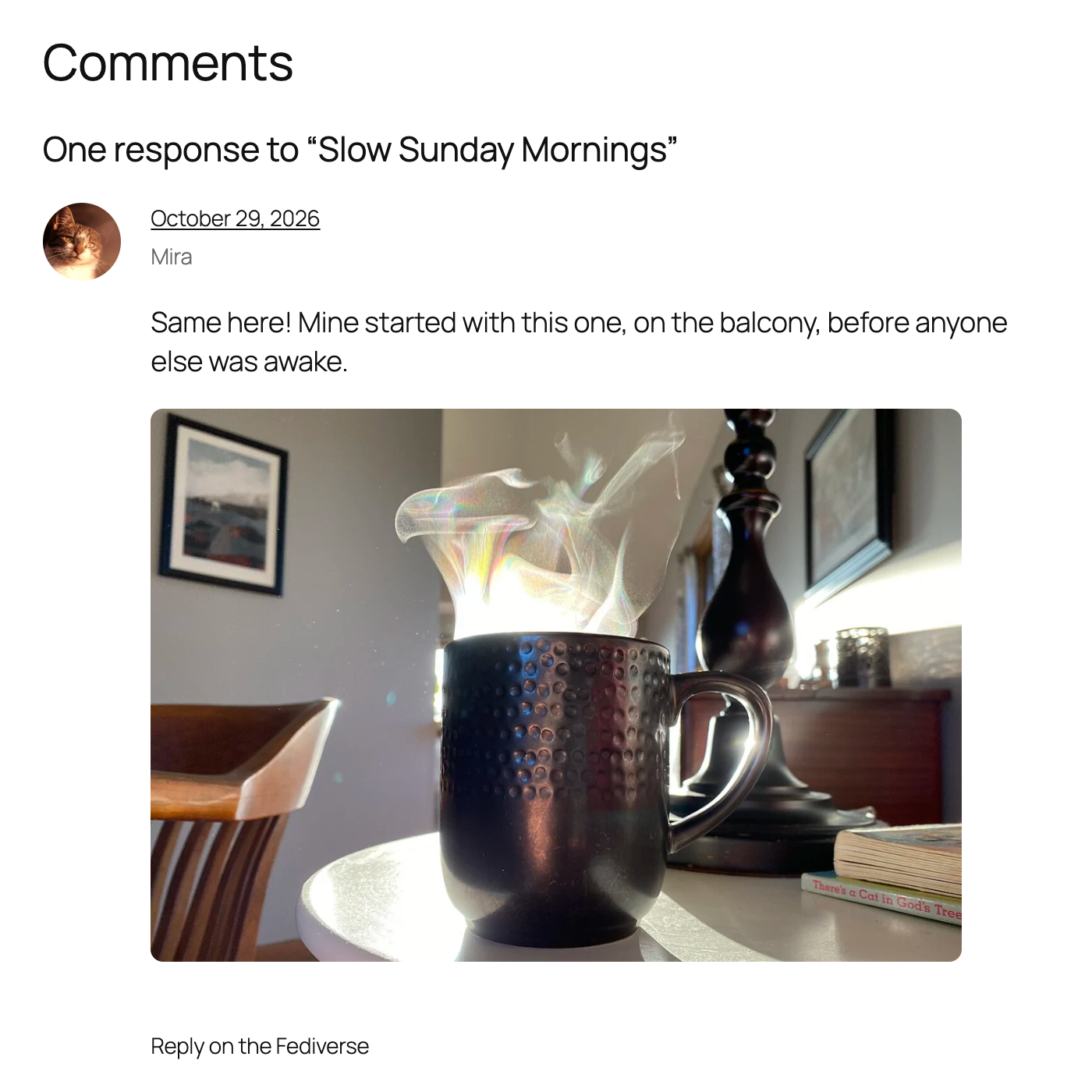
There is a new option in the ActivityPub settings: Show images attached to replies. When you turn it on, images in replies from the Fediverse show up below the comment text. Image descriptions come along, so the images stay accessible. Replies that are only an image, with no text, are accepted too.
A Fediverse reply in the comment section, with the photo of a steaming coffee mug shown below the comment text.
The images are cached on your own server, so your visitors never load them from the other server. Up to three images per reply are shown. Images only appear on approved comments. Pending, spam and trashed comments show only their text, and their images are never downloaded.
The option is off by default. WordPress itself does not show images in comments, so this changes how your comment section looks, and we did not want to do that without asking. One thing to keep in mind: if your site approves comments automatically, images from other servers become visible without anyone looking at them first.

If you turn the option off again, the images disappear and the descriptions show as text. Turn it back on and they come back.

Quote Posts From the Fediverse


Since 7.7.0, your site can receive quotes. Now it can quote, too.

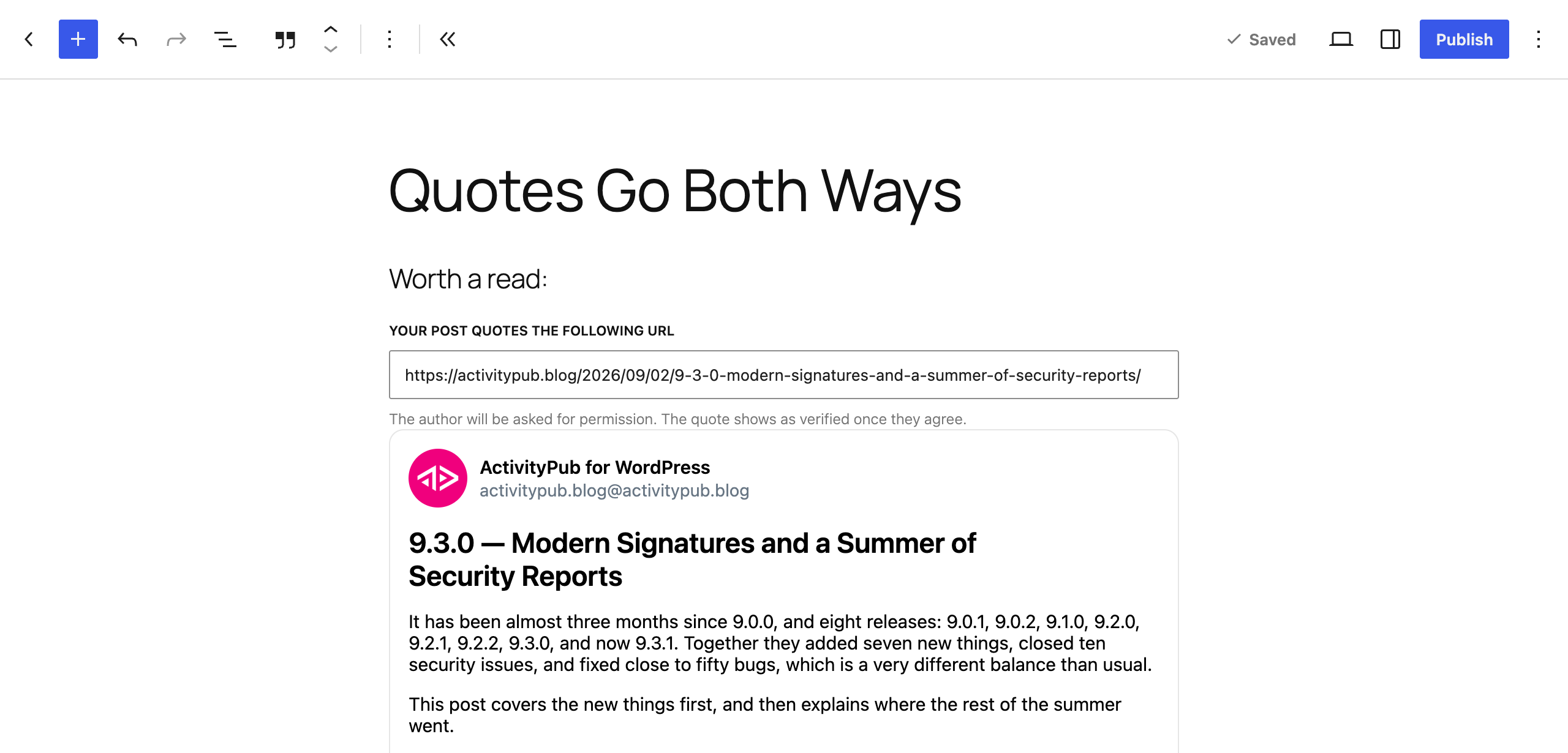
The new Federated Quote block works like the Reply block. Paste the link of a Fediverse post, and the block embeds it in your post. When you publish, your site asks the author of the quoted post for permission. If they agree, your quote is marked as verified on their server. If they decline, your post stays, but the quote turns into a plain link.
The Federated Quote block in the editor, with the URL of the quoted post, a note that the author will be asked for permission, and an embed of the post.
The editor shows where the request stands, approved or declined. It also warns you if the author does not allow quotes at all. You can still publish in that case, but the author will probably say no.
There is also a quote bookmarklet on the Tools screen, next to the reply one. Click it on any Fediverse post and you get a new draft with the Quote block already in place.

This depends on the other server. Mastodon supports the permission request since version 4.5. Other software might not answer yet, and then your quote stays unverified.

On the receiving side, the Comments screen has a new Source column. It links incoming replies and quote posts to the post they came from.

A Name and Face for Your Blog Profile


Until now, your blog profile on the Fediverse used your site title as its name and your site icon as its avatar. You can now give it its own. Under Settings → ActivityPub → Blog Profile there is a new name field and an avatar picker. If you leave them empty, nothing changes, and the site title and site icon are used as before.
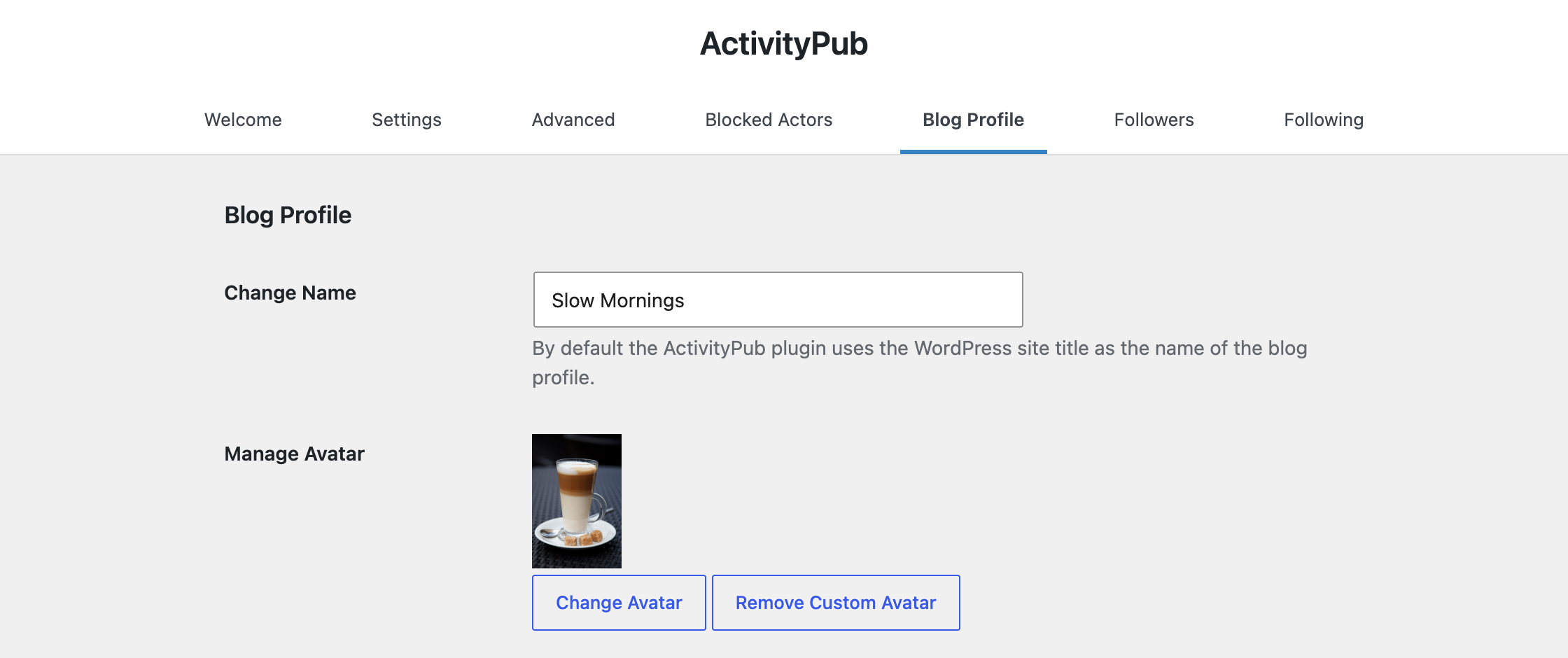
The Blog Profile settings with the new name field set to "Slow Mornings" and a custom avatar.

Security, Again


As in 9.3.0, this release fixes vulnerabilities that were reported to us.

  • Signed requests are checked more strictly. They have to be addressed to your site, and signing keys from other servers are verified more carefully.
  • Blocks are respected everywhere. Accounts you blocked can no longer reply to, like, repost or quote your posts and comments, and only the sender of a reply or like can change or remove it.
  • Content from other servers is handled more safely when it is imported as posts or comments.
  • Apps you connect can only do what you allowed them to do, and only on content the connected user is allowed to change.

If you run the plugin, please update.

Smaller Things You Might Notice


  • More languages. Posts are federated with the language Polylang assigned, and posts from Mastodon apps keep the language the app set. Handles like @renée@café.example now work in mentions and search.
  • Blocks that fit your theme. The Followers and Following blocks take their colors and font from your theme, and the Reactions block has a new Counts style that can replace the comments link in a query loop.
  • Your uploads folder stops growing. Profile pictures were downloaded again on every page view, leaving a copy behind each time. The update removes the extra copies.
  • Fewer duplicate emails when another server delivers the same message twice, or when a reply also mentions you.
  • Comments: replies are no longer auto-approved because the account liked a post before, likes and reposts no longer leak into comment lists, and comment links open the right page.
  • What your followers get: no extra image under your posts, summaries that stop at the “Read more” tag, podcast files from outside your media library, and account moves that are verified and reach your followers.
  • Apps and the ActivityPub API: mentions from Mastodon apps are federated again, and replies to posts on other servers are delivered.
  • Compatibility: fixes for WordPress 7.1 and 7.2, PHP 8.5, Polylang, and sites behind a proxy.
  • Under the hood: remote content is cached through the object cache, and endpoints that other servers call now have a rate limit.

The full changelog is in the GitHub repository.

Get It


Download from WordPress.org or grab it on GitHub. If your site updates automatically, you already have it.

Turn on images in replies, try quoting a post, and let us know how it looks on your site. Which servers answer your quote requests, and which ones stay silent?

Thank You


A huge thank you to everyone who contributed code, tested early builds, filed bug reports, or reported a security issue for this release.


9.3.0 — Modern Signatures and a Summer of Security Reports


The media in this post is not displayed to visitors. To view it, please go to the original post.

It has been almost three months since 9.0.0, and eight releases: 9.0.1, 9.0.2, 9.1.0, 9.2.0, 9.2.1, 9.2.2, 9.3.0, and now 9.3.1. Together they added seven new things, closed ten security issues, and fixed close to fifty bugs, which is a very different balance than usual.

This post covers the new things first, and then explains where the rest of the summer went.

Modern Signatures, On by Default


Every message your site sends to the Fediverse carries a signature, the digital equivalent of a wax seal on an envelope. In July 2025 we wrote about the move from the old draft format to RFC 9421, the official standard. Back then, sending with the new format was a setting for early adopters, and we promised to turn it on for everyone once the rest of the Fediverse was ready.

With 9.3.0 it is on by default. Your site now signs outgoing requests with RFC 9421, and falls back to the old format when the server on the other side does not understand it yet. For almost everyone this changes nothing you can see. Your posts keep arriving, your follows keep working.

A small number of servers advertise support for the new format but handle it differently in practice. If your posts suddenly stop arriving on one particular server after this update, you can switch back. Open the ActivityPub settings, click Screen Options in the top right, enable Advanced Settings, and turn off the modern signature format in the Advanced tab. Please let us know in the support forum which server it was, so we can look into it.

Your Podcast Travels With Its Audio


If you publish podcast episodes with Jetpack, your episodes now federate as episodes. The audio file and the cover art travel with the post, so your followers get a playable player in their Fediverse app instead of a link they have to click through.
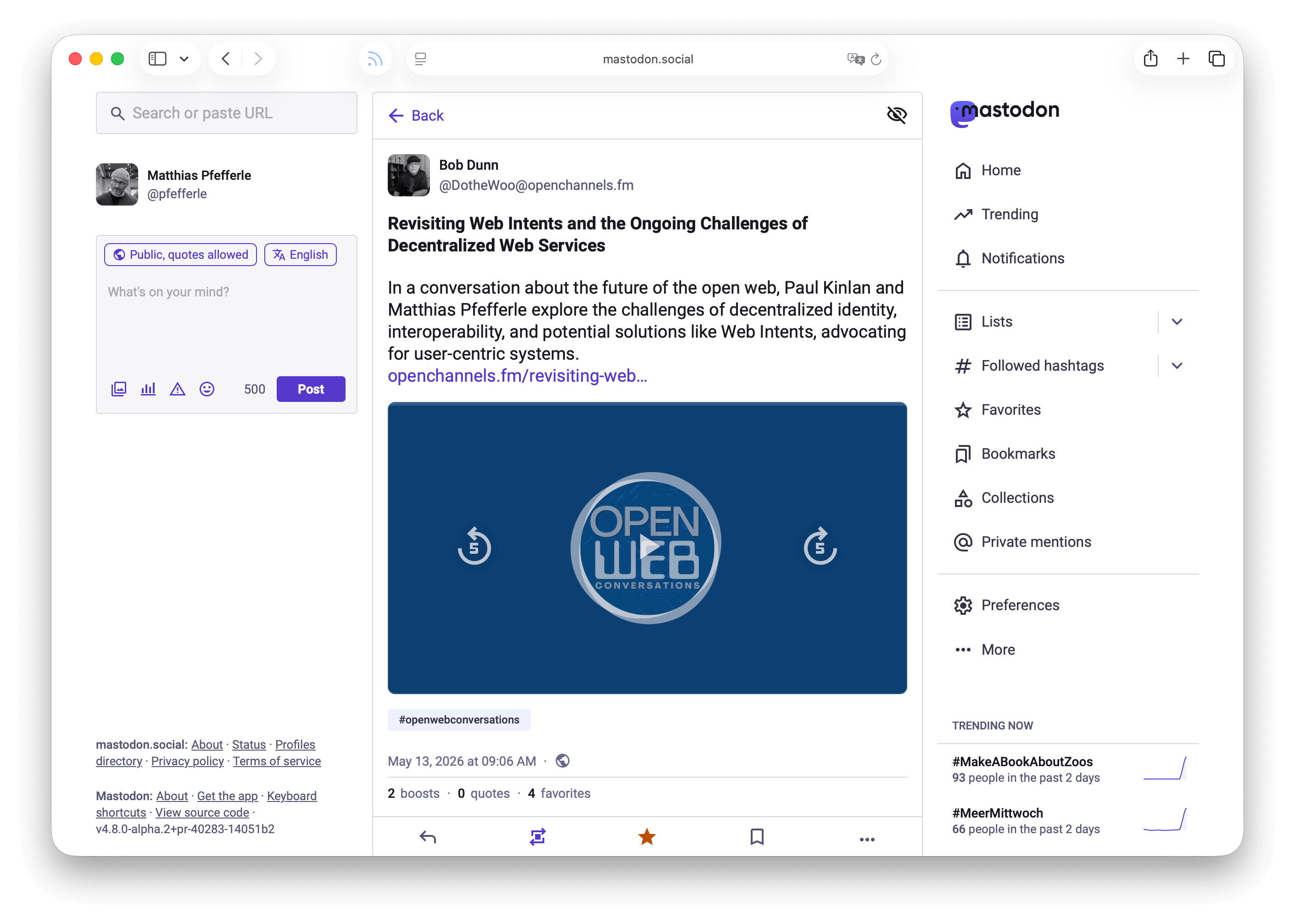
A screenshot of a WordPress hosted Podcast Episode on Mastodon.
Version 9.1.0 did the same for Podlove Podcast Publisher, where the episode summary now goes out with the post rather than being dropped.

A Quieter Inbox


Likes, reposts, and quotes are lovely until there are two hundred of them and your email inbox has two hundred entries. Until now, switching those off meant switching off notifications for real comments and replies too.
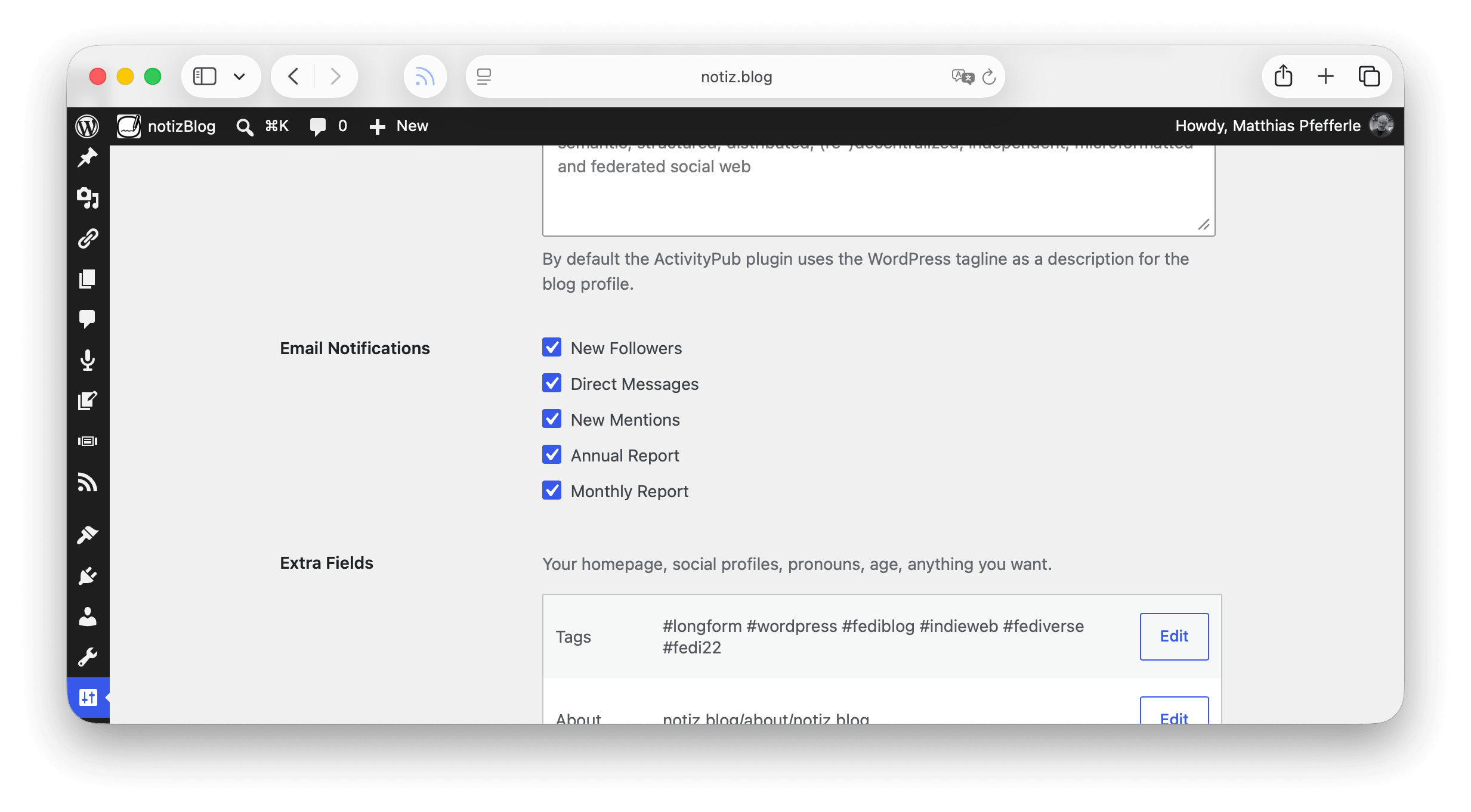
Screenshot of the E-Mail Notification settings in WP-Admin.
9.3.0 separates them. There is a new notification setting that turns off emails about likes, reposts, and quotes, while comments and replies from the Fediverse keep reaching you. Reactions still show up on your post, you just stop hearing about each one individually.

Smaller Things You Might Notice


  • Fediverse and ActivityPub logos in the editor. On WordPress 7.1 and newer, both logos are part of the block editor’s icon library, so you can use them in a Social Icons block or anywhere else an icon fits.
  • The follow, reply, and reaction dialogs speak up. Screen readers now announce errors in those dialogs instead of leaving people guessing why nothing happened.
  • Scheduled posts show the right preview. Since 9.1.0, a scheduled post shows the Fediverse Preview, so you can see what your followers will get before it goes out.
  • Avatars that actually update. The scheduled refresh of remote profiles was not refreshing anything. Commenters kept the avatar and bio they had when they first showed up. Fixed in 9.1.0.
  • Two new FAQ guides, added in 9.0.1, for the two questions we get most often: follow requests stuck on “pending”, and comments from the Fediverse not appearing on your posts.


For People Building on the Plugin


9.1.0 added an actor autocomplete endpoint, so a Fediverse app connected to your site can offer typeahead search when you are mentioning someone. There is also a new filter for sites that need to federate inside a private or internal network, which mostly matters for intranets and staging setups.

In 9.3.0, apps connected through the ActivityPub API now use the standard permission names from the specification, and fetching remote content through your site counts as reading rather than posting. Apps also see the real error when a post is missing, instead of a generic failure that told them nothing.

Where the Summer Went


Seven new things in three months is not much. Here is the reason.

Since June we have had a steady stream of security reports. Ten of them became entries in the changelogs of 9.1.0 and 9.3.0, and a few more landed quietly as fixes. Every report has to be read, reproduced, judged, fixed, tested, and shipped, and the fix has to be written so it does not break the sites that already work. For a team our size that is most of a week each time, sometimes more.

This is not a complaint, and a real thank you to everyone who sent a report and then waited while we worked through the queue. Nearly all of the reports were real, and every one of them made the plugin safer for the people running it. This is responsible disclosure working the way it should. It just means the roadmap moves slower than it looks on paper, and features that were planned for July are still open.

We are not alone in this. WordPress core is seeing the same wave, and for the same reason: AI models have become good enough at reading code that finding a plausible vulnerability is now cheap. The security team wrote about it in The Core Security Initiative, and the project started Protect The Shire to review the code in the plugin and theme directories at a scale that was not possible before. The same tools that raise the number of reports also help everyone work through them. On balance, we think this is good for the ecosystem, even on the weeks where it does not feel like it.

In general terms, the security work in these releases covers four areas:

  • Content from other servers is cleaned before it is stored, and again before it is displayed, so what another server sends cannot influence how your site behaves.
  • Data that belongs to you stays yours. Your followers, the profiles your site has cached, and your reader posts are not readable by logged-out visitors, and the setting that hides your follower list is respected everywhere.
  • Activities are checked more strictly against the account they claim to come from, so a server cannot act on behalf of someone else.
  • Apps you connect can only do what you allowed them to do, and nothing wider.

We are keeping this vague on purpose. The details are in the reports, and we would rather not hand a recipe to anyone whose site has not updated yet. If you run the plugin, please update.

What the Fixes Cover


The fifty or so fixes across these releases are not one story, but they fall into a few groups:

  • Finding each other. Profiles and posts were not always found when an address contained unusual characters, or was written with different capitalisation, or when the other server answered in an unexpected shape. Several fixes make lookups work in all of those cases.
  • Reactions arriving once. Likes and boosts could be recorded as duplicate comments, or come back after you marked them as spam. A deletion on Mastodon did not always remove the matching comment on your site. Both are fixed.
  • Caching. ActivityPub responses were sometimes stored by page caches meant for regular web pages. Since 9.2.0, those responses are served only to clients that ask for ActivityPub data and nothing else, which keeps them out of caches like LiteSpeed and Surge. Support for the WP REST Cache plugin was removed as part of this.
  • Publishing edge cases. Posts scheduled for a future date were removed from the Fediverse when edited. Hidden page elements, like the text inside a closed dialog, ended up in the content sent to your followers. Backslashes vanished from imported titles. Small things, annoying every time.
  • Living with other plugins. Fixes for sites running Polylang, Jetpack, Surge, and the Mastodon importer, which was creating duplicate posts when an archive was imported twice.
  • Admin screens and the editor. Styles that failed to load on the Fediverse screens and in the Followers and Following blocks, an editor warning about unsaved changes that appeared right after saving, and a handful of errors that filled up log files without breaking anything visible.

The full, item-by-item changelog for every release is in the plugin’s changelog if you want to read it in detail.

Get It


Download from WordPress.org or grab it on GitHub. If your site updates automatically, you already have it.

Thanks to everyone who filed a bug report with steps we could follow. Those are the ones that get fixed fastest.

Now that signatures are modern by default: does anything still deliver differently for you? And what would you like to see us build once the queue is shorter?

⇧